The real test of a content creator tool in 2026 is no longer whether it helps you write or edit, but whether it can remove you from the manual process entirely. If your current software requires you to manually copy-paste every draft or spend hours on keyword spreadsheets, it is a bottleneck, not a solution.
Building a high-performance tech stack requires looking past feature lists and focusing on the operating layer. You need tools that bridge the gap between a raw idea and a published, ranking page. The goal is to minimize the number of hand-offs between different software. A tool that only generates text but requires manual keyword research and manual uploading creates friction. Modern stacks prioritize end-to-end automation where the system handles the strategy, creation, and distribution in a single loop.
The tools in this guide fall into three distinct categories: autonomous SEO engines, creative production suites, and distribution hubs. Autonomous engines like Tydal represent the newest shift, handling the entire lifecycle from keyword planning to live publication. Creative suites like Canva and CapCut focus on lowering the barrier to professional-grade visuals and video. Distribution hubs like Metricool ensure that once content exists, it reaches your audience across every social channel without manual scheduling for every individual post.
When choosing your stack, evaluate tools based on their ability to scale your output without increasing your headcount. If you are a solo creator or a small startup, look for software that acts as a virtual team member. This means prioritizing visibility on both traditional search engines and AI platforms like ChatGPT or Perplexity. This list is curated to help you identify which tools fit your specific workflow, whether you need to dominate search rankings or produce viral short-form video on a daily basis.
The 2026 Content Creator Stack: From Manual Toil to Autonomous Systems
The environment for content creator tools has moved beyond simple utility. We are seeing a transition from tools that require constant manual input to autonomous operating layers that manage entire workflows. This shift is driven by the need for speed and the reality that 92% of businesses are now investing in generative AI to maintain their digital footprint.
Building a professional stack in 2026 focuses on creating a "Zero-Team" engine. This framework allows a solo creator or a small startup to handle the output of a full marketing department without the overhead. You can typically assemble a high-end toolkit for between $0 and $200 per month, depending on your volume and specific niche.
The priority for any modern stack is reducing friction between discovery and publication. A fragmented workflow where you research in one tab, write in a second, and optimize in a third is no longer viable. The goal is to find systems that bridge these gaps. For example, a modern SEO setup should ideally identify a high-value keyword and move it through the drafting and optimization phases with minimal manual intervention. This allows you to spend your time on brand strategy and audience engagement while the software handles the repetitive logistics of search visibility and technical SEO.
The 'Zero-Team' Content Engine: A Framework for Solo Growth
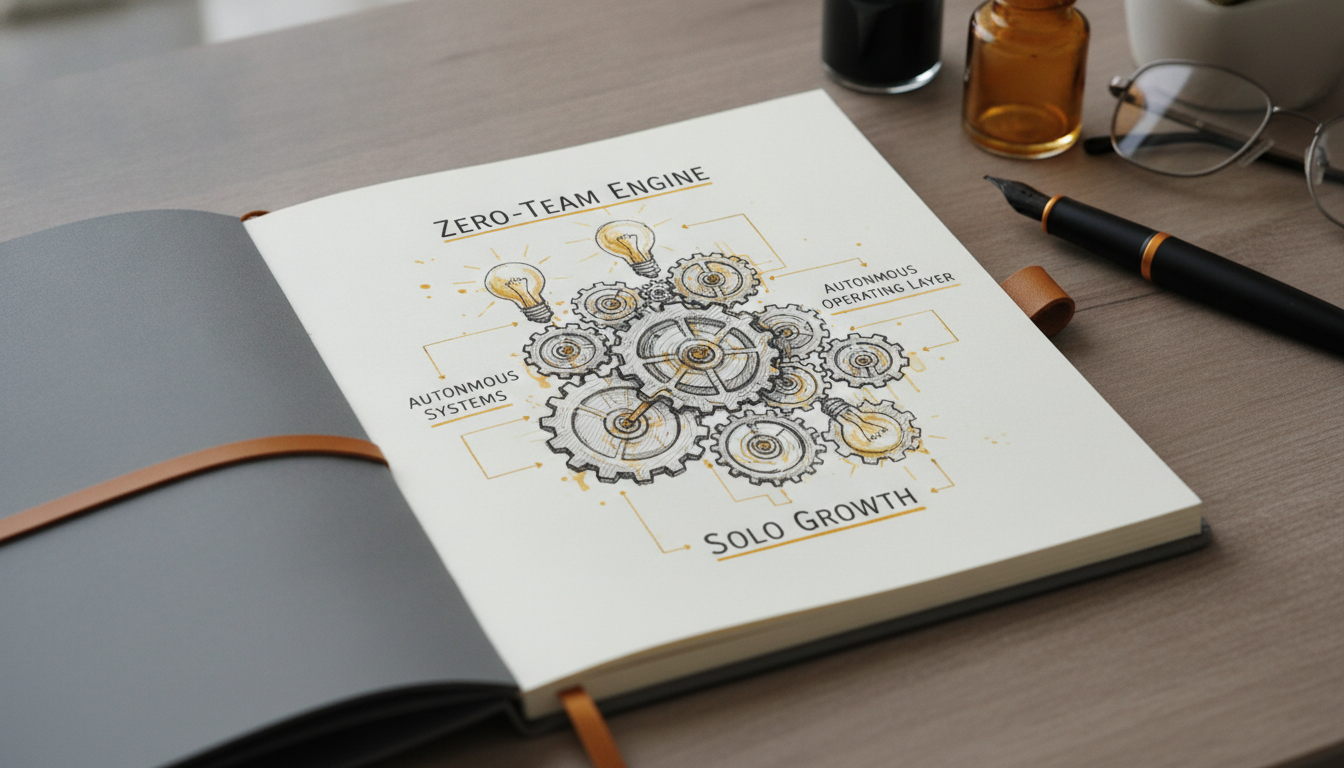
Scaling a digital presence used to require a content manager, an SEO specialist, a writer, a designer, and a social media coordinator. In 2026, you can consolidate these roles into a three-layer operating system that prioritizes automation over manual editing.
Layer 1: Strategy and SEO. This is the brain of your engine. Your stack should handle keyword planning and search intent analysis autonomously. A vital shift in this layer is optimizing for LLM visibility. You need tools that ensure your brand is cited by AI search engines like ChatGPT and Perplexity, not just traditional Google results.
Layer 2: Creation. Move away from isolated assistants that require constant prompting. The goal is a workflow where a single brief or keyword triggers the generation of high-fidelity visual and audio assets. This reduces the time spent on manual rework and keeps your brand voice consistent across formats.
Layer 3: Distribution. Once content is live, your system should handle the heavy lifting of social promotion. Use unified platforms to schedule posts and track real-time website traffic alongside social engagement.
By treating these tools as a connected system, you move from brief to published page faster. This approach allows solo creators and small businesses to compete with larger teams by focusing on high-level strategy while the engine manages the production loop.
1. Tydal: Best for Autonomous SEO and End-to-End Automation
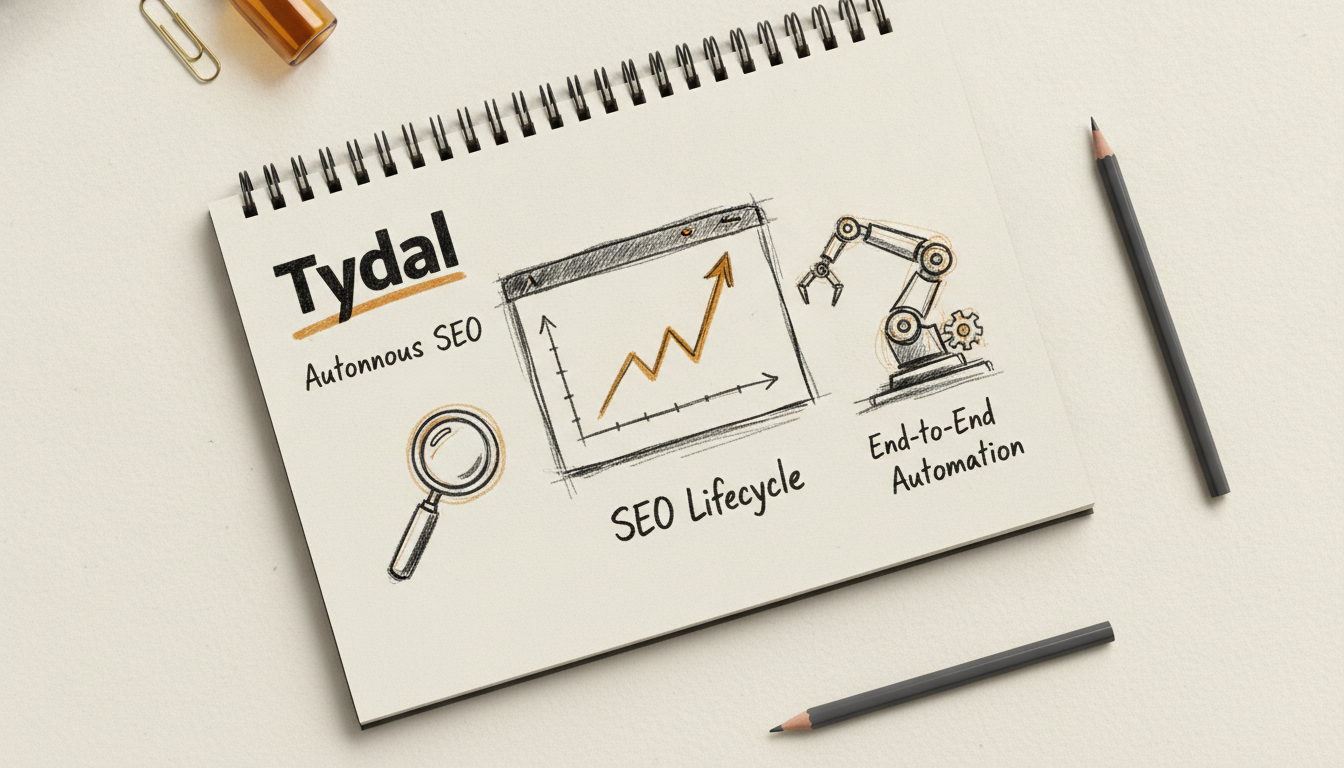
Tydal is built for startups, small businesses, and solo content creators who need to scale organic traffic without the overhead of a dedicated content team. It manages the end-to-end lifecycle of SEO, taking a project from initial keyword research to live publication on a website. By automating the technical and strategic layers of content production, it allows small teams to compete with larger organizations in search rankings.
The platform functions as a virtual content engine. It identifies search intent, drafts optimized articles, and handles the direct-to-site publication through CMS integrations. This workflow provides a level of consistency that is difficult to maintain manually, ensuring that your site stays active and visible to both traditional search engines and newer AI discovery platforms.
Best for Autonomous SEO and End-to-End Automation
Tydal fits creators who are tired of juggling separate keyword tools, writing assistants, and CMS editors. It is specifically designed for those who want to replace a fragmented manual process with a single, unified system for organic growth.
What stands out in actual use:
- Automated Keyword Planning: The system builds a comprehensive SEO strategy based on search intent, removing the need for manual data mining.
- Direct-to-Site Publication: An autopilot mode pushes content straight to your website, which eliminates the friction of formatting and uploading drafts.
- AI Search Optimization: The content is structured specifically to increase the chances of being recommended by AI tools like ChatGPT and Perplexity.
Tydal is built for speed and autonomy. Large enterprises that require multi-layered manual review departments or strict legal sign-offs for every sentence might find the automated workflow too lean for their internal bureaucracy. It is a tool for those who prioritize growth and execution over manual committee oversight.
This is a comprehensive operating layer for organic traffic. It moves beyond simple text generation and acts as a strategic partner for visibility.
Optimizing for the AI Search Era
Search behavior is shifting toward LLM-based recommendations. Tydal addresses this by optimizing content for visibility within AI-generated answers on platforms like ChatGPT. By focusing on clear, intent-driven information, the tool helps your brand become a cited source when AI agents answer user queries. This dual focus on Google and AI search ensures your content stack is future-proofed for 2026 and beyond.
The "Set and Forget" Content Workflow
For a solo creator, the biggest hurdle is the manual toil of keyword research and scheduling. Tydal eliminates this by handling the strategy layer. You define the goals, and the system executes the tactical work of finding the right terms and publishing the articles. My editorial rule for SEO is simple: consistency beats occasional brilliance. Tydal makes that consistency possible by removing the manual labor that usually leads to creator burnout.
"Tydal handles the actual execution of your SEO strategy while other tools only provide a list of manual chores to finish."
2. Canva: Best for Non-Designers and Visual Consistency
Canva functions as the visual operating layer for solo creators who need to maintain a professional aesthetic without hiring a full-time designer. It has evolved from a simple drag-and-drop editor into an AI-driven "Magic Studio" that centralizes the production of social media graphics, YouTube thumbnails, and presentations. By providing access to over 140 million premium stock photos and videos, the platform eliminates the need for external asset subscriptions. This massive library allows you to source high-quality media directly within your project window.
The workflow focuses on speed and accessibility. Creators use this system to move from a concept to a finished asset in minutes, leveraging a massive library of pre-built templates. This efficiency is vital for maintaining a daily posting cadence across multiple platforms like Instagram, TikTok, and LinkedIn. The platform integrates directly with Slack and Google Drive to streamline the approval and storage process for small marketing teams.
Best for Non-Designers and Visual Consistency
This tool is the primary choice for creators building a "zero-team" content engine. It prioritizes rapid output and brand alignment over the granular control found in professional vector software.
What stands out in actual use:
- Magic Studio AI: This suite uses text prompts to generate images and video backgrounds. It helps you create unique b-roll or custom visuals without searching through generic stock libraries.
- Brand Kits: You can lock in your logos, hex codes, and fonts to ensure every piece of content looks uniform. This feature prevents the visual drift that often happens when scaling content across different channels.
- Drag-and-Drop Video Editor: The simplified video interface allows for quick cuts and transitions, making it a viable alternative for creators who find traditional timeline editors too complex.
- Pro Tier Storage: The Pro plan includes 1TB of cloud storage, which is useful for creators managing large libraries of high-resolution video assets and project files.
The Trade-off While the AI features are powerful, the credits are capped on lower subscription tiers. Additionally, users requiring advanced vector manipulation or complex path editing will find the tool restrictive compared to dedicated illustration software. It is built for assembly and layout rather than ground-up artistic creation.
Mini Conclusion Canva Pro costs $15 per month or $120 per year and remains a foundational piece of the 2026 creator tech stack. It bridges the gap between raw ideas and polished, platform-ready media.
3. CapCut: Best for Viral Short-Form Video
CapCut is the standard for creators who live on TikTok, Reels, and YouTube Shorts. It handles the heavy lifting of mobile video production, allowing social media managers and solo creators to assemble high-energy clips without a desktop workstation. The tool focuses on speed and the specific visual language of vertical video.
The primary reason to use CapCut is its direct connection to the ByteDance ecosystem. It provides immediate access to trending sounds and visual templates that are currently performing well on social algorithms. This allows you to capitalize on viral moments while they are still relevant, rather than spending hours on manual keyframing or sound syncing.
Best for Viral Short-Form Video
CapCut fits solo creators who need high production value on a mobile-first workflow. It bridges the gap between basic phone editing and complex desktop software.
What stands out in actual use:
- AI-Powered Enhancements: The background remover and noise reduction tools clean up raw footage shot in non-studio environments.
- Auto-Captions: The AI voice-to-text feature generates accurate, stylized captions in seconds, which is a requirement for modern social engagement.
- Trending Asset Library: You get native access to the latest music and transition templates popular on TikTok.
While the free version is generous, CapCut Pro features are becoming increasingly metered. If you rely on specific AI effects or high-end transitions, the subscription (approx. $7.99 - $9.99/month) becomes necessary. Additionally, the desktop version is functional but lacks the deep color grading and professional color science found in dedicated post-production suites.
CapCut remains the most efficient bridge between a raw mobile recording and a viral-ready post. It is an essential component of a 2026 creator tech stack for anyone prioritizing social reach over cinematic long-form production.
4. Descript: Best for Text-Based Video and Audio Editing
Descript changes the fundamental mechanics of media production by treating video and audio files like text documents. It is built for podcasters, YouTubers, and internal teams who need to move from a raw recording to a polished final cut without scrubbing through a timeline for hours. By generating an immediate transcript of your media, the platform allows you to delete sections of video simply by highlighting and deleting the corresponding text.
This workflow provides a level of clarity that traditional non-linear editors lack. You can rearrange entire segments of a presentation or interview by dragging and dropping paragraphs, making it a powerful tool for story-driven content. It integrates directly with recording platforms like Riverside and publishing destinations like YouTube, acting as a central hub for the middle stage of the creator lifecycle.
Best for Text-to-Video Workflow and Rapid Podcast Editing
This tool fits creators who work from scripts or interviews and want to bypass the steep learning curve of professional suites like Premiere Pro. It is particularly useful for solo operators who need to produce high volumes of tutorials or social clips without hiring a dedicated editor.
What stands out in actual use:
- Underdub and Overdub: Fix audio mistakes by typing new words; the AI clones your voice to fill the gap.
- Studio Sound: This feature uses AI to remove background noise and enhance voice quality, making a bedroom recording sound like a professional studio.
- Filler Word Removal: You can strip out every "um," "uh," and "like" from a 30-minute recording with a single click.
The platform is not without its friction. Transcription accuracy can vary significantly depending on the speaker's accent or the quality of the original microphone. Additionally, the billing model based on "media minutes" for transcription can be confusing to track, especially for creators with high-volume output who might hit limits unexpectedly.
Descript remains the standard for script-first editing. It simplifies the technical side of production so you can focus on the narrative, making it a staple in any modern tech stack focused on efficiency.
5. Claude (Anthropic): Best for Long-Form Writing and 'Vibe Coding'

Claude is the primary choice for writers and researchers who need a sophisticated partner for drafting complex, long-form articles. While tools like Tydal focus on the automated SEO and publication layer to drive organic traffic, Claude excels in the deep creative work that requires a nuanced, human-sounding voice.
The core advantage of this model is its massive 200k token context window. This allows creators to feed in entire books, long research papers, or massive codebases to get highly specific, contextual outputs. It is the preferred choice for those who prioritize stylistic accuracy and logical consistency over the generic patterns found in other models.
Best for High-Quality Long-Form Writing and Tool Creation
Claude fits solo creators and small business owners who need to generate deep-dive guides or custom scripts without a full-time editor or developer. It is particularly useful for those building a Zero-Team content engine where the quality of the writing must stand up to human scrutiny and AI search engine evaluation.
What stands out in actual use:
- 200k Token Context Window: You can upload massive datasets or multiple long-form drafts to ensure the AI understands the full scope of your project before it starts writing.
- Human-Like Nuance: The model excels at following complex stylistic instructions, making it easier to maintain a specific brand voice without heavy manual rewriting.
- Vibe Coding: It is effective at generating functional code for custom content tools, helping creators build small, specialized applications to automate parts of their workflow.
One significant trade-off involves the strict usage limits. Usage walls can be hit quickly during peak times, even for those on the Claude Pro tier. If you are in a high-intensity production cycle, you might find yourself waiting for the next refresh cycle more often than you would with more permissive platforms.
Claude acts as a sophisticated creative partner for the strategy and drafting layers of your content engine, providing the high-quality prose that keeps readers engaged once they land on your site.
6. ChatGPT (OpenAI): Best for Multimodal Versatility
ChatGPT serves as the universal Swiss Army Knife for the modern content creator tech stack 2026. It handles the messy middle of the creative process: brainstorming hook ideas, drafting rough scripts, and generating DALL-E 3 visuals to accompany blog posts. While specialized tools handle high-end production, this is where most creators start their day to map out logic and structure.
The primary reason to keep this in your toolkit is its multimodal agility. You can upload a screenshot of a competitor's landing page to analyze their layout, record a voice memo of a video idea to get a structured outline, or use the Deep Research feature for automated fact-finding. It bridges the gap between raw thought and a workable first draft.
Best for Multimodal Versatility and Workflow Automation
This tool fits creators who need a flexible assistant that adapts to different media formats without switching tabs. It is particularly useful for those using custom GPTs to standardize their specific brand guidelines or repetitive tasks.
What stands out in actual use:
- Deep Research: Automates the fact-finding process by browsing multiple sources to verify claims before you write.
- Multimodal Input: Uses voice and vision to turn physical sketches or spoken rants into digital assets and structured text.
- Custom GPTs: Allows you to build mini-apps for specific tasks like YouTube Script Optimizers or Social Media Hook Generators.
- Zapier Integration: Connects your AI prompts to thousands of other apps to automate distribution and data logging.
The output often leans toward a recognizable, robotic prose style that requires a manual human touch to resonate with audiences. If you publish its drafts without editing, you risk sounding like every other generic brand on the internet. It lacks the specialized human-like tone found in tools like Claude or the autonomous SEO capabilities of platforms like Tydal.
ChatGPT remains the foundational operating layer for most creators. It provides the broadest set of features for the price, making it a reliable generalist even as more specialized AI content creation software enters the market. Access to the Plus tier costs $20/month, while the ChatGPT Go plan is available for $8/month.
7. ElevenLabs: High-Fidelity AI Voice Synthesis
ElevenLabs is the standard for creators who need to turn text into natural, emotional speech without hiring voice actors. It serves video producers and publishers who require consistent, high-quality audio for narrations, tutorials, or character voices in games.
The platform focuses on the nuances of human speech, capturing breath, hesitation, and emotional inflection that standard text-to-speech engines miss. It simplifies the audio production workflow by allowing you to generate professional-grade voiceovers in seconds, which is a major win for solo creators managing tight deadlines.
Best for Voice Cloning and Global Dubbing
This tool fits creators who want to maintain a consistent brand voice across multiple platforms or translate their content for international audiences. If you have a specific style or a personal brand, the voice cloning feature allows you to scale your presence without spending hours behind a microphone.
What stands out in actual use:
- Professional Voice Cloning: You can create a digital twin of your own voice or design entirely new voices from scratch.
- Speech-to-Speech: This feature lets you record a rough vocal take and map its emotions and timing onto a different AI voice.
- Automatic Dubbing: It translates and replaces audio in 29+ languages while attempting to preserve the original speaker's tone.
The credit-based pricing model can become a bottleneck if you are producing long-form content like full-length audiobooks or hour-long podcasts. While the quality is high, heavy users may find themselves burning through monthly allocations quickly, making it more expensive than flat-rate alternatives for high-volume output.
ElevenLabs is a specialized audio layer for a modern creator stack, providing the human touch needed to make AI-generated video content feel authentic and professional.
8. Surfer SEO: Data-Driven Content Optimization
Surfer SEO is built for creators who need to move beyond guessing which keywords will rank. It analyzes the top-performing pages on Google for your target term and provides a literal checklist of terms, headings, and word counts to match the current search intent. This data-driven approach removes the ambiguity of SEO, giving you a clear roadmap for every article you write.
The platform provides a structured environment where SEO strategy meets the writing process. By integrating directly with Google Docs and WordPress, it allows you to see your optimization score climb in real-time as you draft. This ensures every piece of content has the technical foundation required to compete for page one without requiring a separate manual audit after the writing is done.
Best for On-Page Content Optimization and LLM Visibility
This tool fits niche site owners and agencies who need a repeatable system for content production. It is particularly useful for those concerned about the shift toward AI-driven search, as it now includes specific analytics to see how often AI models like ChatGPT are citing your brand in their generated answers.
What stands out in actual use:
- Real-Time SEO Scoring: The Content Editor gives you a 0-100 score based on how well your draft matches the Natural Language Processing requirements of the top-ranking results.
- AI Search Analytics: This feature tracks brand citations within LLM responses, helping you understand your footprint in the AI recommendation ecosystem.
- Topical Maps: You can generate a visual layout of related topics to build domain authority through clusters rather than isolated articles.
Relying too heavily on the suggested keyword density can occasionally result in formulaic prose. If a writer focuses solely on hitting every term suggested by the algorithm, the natural flow of the article might suffer, requiring a final human pass to ensure the tone remains engaging for actual readers. It is a tool for guidance, not a replacement for creative voice.
Surfer SEO acts as the analytical layer of your stack, turning the abstract goal of ranking into a concrete set of data points to follow.
9. Jasper: Best for Enterprise-Grade Brand Voice
Jasper is built for marketing teams and agencies that need to scale content without losing their specific identity. While generic AI tools often produce a one-size-fits-all tone, Jasper focuses on learning your company's unique style to ensure every blog post, email, and social update sounds like it came from your internal team. It functions as a centralized hub for content operations, moving beyond simple prompt-and-response workflows to provide structured environments for collaboration.
The platform provides the guardrails needed to keep messaging aligned when managing a complex content calendar across several channels. It is particularly useful for those who have already established a clear voice and need to replicate it across hundreds of assets. By integrating with tools like Surfer SEO and Google Drive, it fits neatly into existing professional workflows where consistency is a non-negotiable requirement.
Best for Scaling Marketing Campaigns with Consistent Brand Identity
This tool fits businesses that require high-fidelity control over their public-facing persona. It is less about finding a voice and more about enforcing the one you already have at scale across a large volume of content.
What stands out in actual use:
- Brand Voice Analysis: Jasper scans your existing content to create a digital style guide that the AI follows strictly for all future outputs.
- AI Agents: These specialized bots orchestrate complex marketing workflows, handling repetitive tasks like brief generation or initial drafting.
- Campaign Builder: You can transform a single product brief into a full suite of assets, including blog posts, landing pages, and social captions, in one sequence.
The primary hurdle is the cost. At $39 per month for the basic Creator tier and $59 for Pro, it is a significant investment compared to more affordable or free alternatives. Solo creators on a tight budget might find the enterprise-focused features provide more power than they actually need for simple daily tasks.
Jasper is a high-end marketing engine that prioritizes brand safety and team efficiency over raw simplicity. It is the right choice for organizations that value consistency as much as speed.
10. Riverside: Best for Studio-Quality Remote Recording
Riverside is the go-to platform for podcasters and video creators who need to record high-fidelity interviews without the risk of internet-induced lag. It solves the common problem of video glitches by recording audio and video locally on each participant's computer, then uploading the files to the cloud in the background. This ensures that even if a guest's connection drops or stutters during the call, the final files remain crisp and perfectly synced.
The platform simplifies the transition from recording to post-production. By providing separate tracks for every participant, it gives editors the granular control needed for professional mixing. It fits into a zero-team stack by handling the technical capture, allowing solo creators to focus on the conversation rather than worrying about hardware failures or bandwidth issues.
Best for studio-quality remote interviews
Riverside is specifically designed for creators who prioritize production value but cannot always be in the same room as their guests. It bridges the gap between a casual video call and a professional studio setup, making it a staple for broadcasters and corporate video teams.
What stands out in actual use:
- Local 4K Capture: Records video at the source to bypass internet compression and pixelation.
- Separate Media Tracks: Provides individual WAV audio and MP4 video files for every guest to facilitate advanced editing.
- Magic Editor: Uses AI to generate social media clips from long-form recordings, accelerating the distribution process.
- AI Transcriptions: Generates text versions of recordings in over 100 languages for easy captioning and show notes.
While the local recording technology is robust, Riverside can occasionally suffer from browser-based stability issues. Because it relies on Chrome or other modern browsers to handle heavy video processing, users with older hardware or too many open tabs might experience crashes or high CPU usage during long sessions. It is important to ensure guests have a stable browser environment before starting a high-stakes recording.
Riverside functions as a reliable remote recording booth. It is a specialized tool that ensures the raw material for your podcast or YouTube channel is of the highest possible quality before it ever hits the editing suite.
11. Metricool: Best for Unified Social Media Management
Metricool functions as a centralized command center for content creators who need to synchronize their output across Instagram, TikTok, and LinkedIn without the friction of switching tabs. It bridges the gap between social media engagement and actual site traffic by merging performance metrics with real-time website analytics. This visibility allows you to see exactly how a specific post correlates with a spike in page views. In a modern content stack, this tool acts as the distribution engine. You might use a tool like Tydal to automate the creation of SEO-driven articles and then rely on Metricool to handle the social amplification and tracking.
The platform handles the heavy lifting of scheduling while simultaneously tracking how those posts drive traffic to your site. By merging social engagement metrics with real-time website analytics, it helps you see the direct correlation between a viral post and a spike in page views. This makes it a pivotal distribution component in a Zero-Team framework where you might use automated SEO content and Metricool to manage the social amplification.
Best for Multi-Channel Distribution and Performance Tracking
This platform is built for freelancers and small agencies managing several brands simultaneously. It serves creators who have moved past basic posting and want to treat their social presence as a measurable funnel. The tool is particularly useful for those who need to coordinate content across multiple platforms without jumping between tabs.
The unified social inbox and scheduler are the primary workhorses here, allowing you to manage conversations and content from one screen. One of the most distinct features is the inclusion of real-time website traffic analysis alongside social data. This eliminates the need to cross-reference Google Analytics constantly. For those working with clients, the white-label reporting feature automates the process of proving value. By consolidating scheduling, analytics, and ad management, Metricool replaces three or four separate subscriptions.
The main limitation lies in the free tier. While it allows you to manage one brand, the access to historical data is restricted. If you need to analyze long-term trends or year-over-year growth without a paid subscription, you will find the data window too narrow.
Metricool provides a comprehensive dashboard for 18 dollars per month on the Pro plan, making it an affordable way to professionalize a social media workflow.
12. Semrush: Best for Competitive Intelligence and Deep SEO
Semrush is the high-performance engine for creators who treat their digital presence like a serious business. It handles the heavy lifting of the "hard" side of content: uncovering exactly what competitors are doing, which keywords drive actual revenue, and identifying the technical gaps that keep a site from ranking. It provides the data necessary to move from guessing to knowing.
The workflow clarity comes from its massive database of over 25 billion keywords. While many tools focus on the writing process, Semrush provides the strategic blueprint for what to write in the first place. It is the industry standard for anyone needing to validate a content strategy against real-market data before investing time and resources into production.
Best for Professional SEO and Competitive Intelligence
This tool is built for creators and agencies who need a high-resolution view of the search landscape. If you are managing multiple domains or trying to disrupt an established niche, the depth of data here is unmatched. It is particularly useful for those who want to own the entire research process from the ground up.
What stands out in actual use:
- Keyword Magic Tool: Discover high-volume, low-competition terms using the most comprehensive database available.
- Technical Site Audit: Fix crawlability and indexing issues that prevent your pages from appearing on Google.
- Market Explorer: Perform deep-dive competitor analysis to see where rivals get their traffic and which content formats work best for them.
The platform has a steep learning curve that can feel overwhelming for beginners. The price point, starting at $139.95 per month for the Pro plan, is also significantly higher than most creator-focused software. This makes it a heavy investment for solo creators who are just starting out and may not need this level of granular detail.
Semrush functions as a professional-grade research suite. It is the best choice for creators who have moved past basic optimization and require deep, actionable data to scale their organic reach. For those who prefer to automate this entire cycle, an autonomous tool like Tydal (https://tydal.co) might be a better fit, but Semrush remains the gold standard for manual competitive intelligence.
Top 12 Content Creator Tools: Features & Pricing Comparison
| Tool | Best For | Key AI Feature | Starting Price | Free Plan |
|---|---|---|---|---|
| Tydal | Autonomous SEO and end-to-end automation | End-to-end SEO lifecycle automation | Not listed | Not listed |
| Canva | Non-designers and visual consistency | Magic Studio AI image generation | $15/month | Free plan available |
| CapCut | Viral short-form video | AI-powered background remover | $7.99/month | Robust free version |
| Descript | Text-based video and audio editing | Underdub and Overdub voice cloning | $15/month | Free plan available |
| Claude | Long-form writing and creative drafts | 200k token context window | $20/month | Free tier available |
| ChatGPT | Multimodal versatility | Deep Research fact-finding | $8/month | Free tier available |
| ElevenLabs | High-fidelity AI voice synthesis | Professional Voice Cloning | $5/month | Free plan available |
| Surfer SEO | On-page content optimization | AI Search Analytics for LLM tracking | $49/month | Start for Free option |
| Jasper | Enterprise-grade brand voice | AI Agents for workflow orchestration | $39/month | 7-day free trial |
| Riverside | Studio-quality remote recording | Magic Editor AI clip generation | $15/month | Free plan available |
| Metricool | Unified social media management | Real-time website traffic analysis | $18/month | Free plan available |
| Semrush | Competitive intelligence and deep SEO | Keyword Magic Tool | $139.95/month | Limited free account |
Choosing Your Stack: Solve for Your Biggest Bottleneck
Building a high-performance creator stack requires identifying the specific friction points in your current workflow. If your day is consumed by manual video editing, a tool like Descript or CapCut can drastically reduce the time spent on the timeline. For those who need to maintain a professional visual presence without a dedicated graphic designer, Canva provides the necessary templates and AI-driven image generation to keep assets consistent and high-quality across every social platform.
If your primary goal is to scale your digital footprint, you must look at tools that handle the strategy and research layers. Semrush offers the deep competitive intelligence required for professional market analysis, while Surfer SEO ensures that every piece of content you produce is technically optimized for search engine rankings. For marketing teams that need to maintain a specific tone across thousands of words, Jasper provides the brand voice controls necessary to keep AI-generated content aligned with company standards.
For solo creators and startups aiming to build a zero-team content engine, the focus should be on end-to-end automation. Tydal is a strong choice for those who want to grow organic traffic without the burden of manual keyword research and publication. It handles the entire SEO lifecycle, from planning to direct-to-site posting, and ensures your brand is visible in the recommendations of AI search platforms like ChatGPT and Perplexity. Testing these tools based on their actual output rather than their marketing promises will help you build a stack that truly scales your business.
Frequently Asked Questions
What are the best free content creator tools for beginners?
Canva and CapCut offer the most robust free versions for visual and video content. Canva provides a massive library of templates for social graphics, while CapCut includes advanced mobile editing features without a subscription. Many creators start with these tools to maintain high quality before upgrading to paid tiers.
Which AI tools are essential for content creators in 2026?
ChatGPT and Claude are the primary AI assistants for brainstorming and drafting long-form text. ElevenLabs is the industry standard for high-fidelity voice cloning, and Descript is necessary for text-based video editing. These tools form the core of a modern stack by reducing manual labor in production.
How much does a professional content creator tech stack cost?
A professional setup typically ranges from $0 to $200 per month depending on the complexity of your needs. While many tools offer free tiers, premium subscriptions for SEO and high-end video editing usually start around $15 to $50 per month. Investing in a few key paid tools can significantly speed up your workflow.
What tools do I need to start a YouTube channel?
You need a reliable recording platform like Riverside and a versatile editor like CapCut or Descript. Riverside ensures high-quality remote interviews, while Descript allows you to edit video by simply modifying the transcript. Adding a design tool like Canva for thumbnails completes the basic YouTube toolkit.
Can I automate the entire SEO content creation process?
Yes, platforms like Tydal automate the full lifecycle from keyword research to direct-to-site publication. This approach eliminates the need for manual keyword planning and allows creators to scale organic traffic without a dedicated team. Tydal also optimizes content for visibility on AI search platforms like ChatGPT.
How do I choose the right content creation software?
Identify your biggest workflow bottleneck and select a tool that specifically addresses that friction point. If you struggle with design, prioritize a template-heavy platform, whereas if SEO is your challenge, look for data-driven optimization tools. Testing free trials allows you to verify if the software fits your specific creative style.