
How much of your production cycle is actually spent creating, and how much is lost to the friction of keyword research, manual formatting, and publishing loops? In a market where 82 percent of marketing teams use generative AI daily, the competitive advantage has shifted from who can write the fastest to who can manage the most efficient content pipeline.
The current standard for content creation software is defined by its ability to handle Content Operations (ContentOps). It is no longer sufficient to use a tool that only generates text or images. You need a stack that addresses the entire lifecycle: identifying high-intent topics, optimizing for both Google and AI search engines like ChatGPT, and pushing the final product live without manual intervention.
The software landscape is currently divided into three main categories. First, there are the foundational AI models like Claude and ChatGPT that provide the raw intelligence for nuanced writing. Second, specialized creative suites like Canva and Descript handle the heavy lifting for visual and audio media. Finally, end-to-end automation platforms like Tydal represent a new autopilot category, handling everything from research to live publication for teams that cannot afford to hire a full content department.
When evaluating these tools, I focus on the Time-to-Publish metric. This measures how quickly a platform moves a concept from a blank page to a live, indexed URL. For startups and small businesses, the goal is to reduce the number of tools in the workflow to avoid tool sprawl and the rework that comes with moving data between disconnected apps.
This guide breaks down the 12 best options for 2026 based on their specific strengths in automation, brand consistency, and search visibility. Whether you are looking to dominate TikTok with viral clips or build a massive SEO presence on autopilot, these platforms provide the infrastructure to scale your visibility without increasing your headcount.
The Evolution of Content Creation Software: From Assistants to Autopilots
The standard for content creation software has shifted from simple writing aids to full-scale automation. Recent data shows that 82% of marketing teams now use generative AI daily to maintain the volume required for modern visibility. The old model of using a tool to help a human write a single post is becoming a bottleneck for lean teams. Most businesses are moving toward Content Operations (ContentOps), where the focus is managing a system rather than individual words.
This transition introduces a new metric for success: Time-to-Publish. In a market where AI models like ChatGPT and Perplexity are the new gatekeepers of traffic, speed and integration matter more than ever. It is no longer enough to rank on page one of Google. You now need to optimize for Generative Engine Optimization (GEO) to ensure AI assistants recommend your brand when users ask complex questions. This requires software that understands semantic relationships and technical search requirements simultaneously.
Modern software in this category falls into two camps: assistants and autopilots. Assistants help you polish a draft or generate an image. Autopilots, such as Tydal, handle the research, writing, and publishing phases without requiring a dedicated content team. For startups and creators, the choice depends on whether they want to manage a manual creative process or a growth engine. If your goal is organic traffic without the overhead of a full department, the autopilot model is the most effective way to compete with established enterprises.
1. Tydal
Tydal is designed for startups, small businesses, and content creators who need to build organic traffic without the overhead of a dedicated content department. It addresses the common struggle of generating leads from search engines and Reddit by automating the labor-intensive parts of the SEO lifecycle.
The software serves as an autopilot growth engine. It handles the transition from keyword discovery to a live, published article, which allows lean teams to compete with larger organizations that have significantly more resources. By bridging the gap between research and publication, it removes the friction that usually stalls content production.
Best for SEO Autopilot and End-to-End Automation
This platform is a strong fit for businesses that want to increase their online visibility on both Google and AI platforms like ChatGPT but lack the time for manual content production. It is built for those who prioritize organic growth over maintaining a large headcount.
What stands out in actual use:
- Automated SEO Pipeline: It manages everything from initial keyword planning to the final publication on your website.
- Generative Engine Optimization (GEO): The content is structured to rank in AI search results, helping your brand get recommended by tools like Perplexity.
- Reddit Lead Generation: It includes automation to find and engage with potential customers on Reddit, providing a secondary source of organic traffic.
- Scheduled Publishing: You can set a content calendar and let the system push articles live to your site automatically.
A notable tradeoff involves the level of manual oversight. Tydal is not suitable for large enterprises with established content teams that require rigid, multi-step manual review processes. The automation is built for speed and growth, which may clash with highly bureaucratic editorial workflows.
Tydal is best categorized as a ContentOps platform that prioritizes organic growth and visibility through high-efficiency automation. Plans start at $29 per month, and a 3-day free trial is available to test the workflow.
Why it stands out for Generative Engine Optimization
In the current search environment, appearing in AI-generated answers is as important as traditional rankings. Tydal specifically optimizes for this Generative Engine layer. It ensures that articles provide the specific data points and clear structures that LLMs look for when citing sources. This focus helps startups gain visibility in ChatGPT and other AI assistants where standard SEO tools often fall short. It treats AI search as a primary channel rather than an afterthought.
Maximizing Time-to-Publish
The platform excels at reducing the Time-to-Publish metric. In many marketing setups, an article might sit in a draft state for a week while waiting for keyword verification or formatting. Tydal removes these bottlenecks by integrating the research and publishing steps into a single workflow. For a solo creator or a small team, this means the difference between publishing once a month and maintaining a daily presence that builds compounding organic traffic.
2. Claude (Anthropic): Best for Long-Form Nuance and Technical Writing

Claude is designed for creators who need more than generic AI output. It specializes in high-stakes writing where tone, technical accuracy, and complex reasoning are non-negotiable. Whether you are drafting a 3,000 word white paper or a detailed technical guide, this assistant maintains a consistent, human-like voice that avoids the repetitive patterns common in other models.
The workflow centers on a massive context window, allowing you to feed in entire research libraries or long documents without the tool losing the thread. It functions as a sophisticated collaborator that can synthesize fragmented notes into a cohesive narrative while respecting the specific nuances of your brand or industry.
Best for Long-Form Nuance and Technical Writing
This platform fits research-heavy teams and individual professionals who prioritize depth over speed. It is particularly effective for vibe coding and drafting content that requires a deep understanding of logical structures.
What stands out in actual use:
- Claude Artifacts: This feature enables real-time visualization of documents and code side-by-side with your chat, making it easier to iterate on complex layouts or technical snippets.
- Projects: You can organize specific chats and documents into context-aware folders, ensuring the AI remembers your style guides and background materials for every new draft.
- Claude Code and Science: These specialized modes handle advanced programming and technical analysis, providing a higher level of precision for niche industry content.
Usage limits are a reality for power users. On the Pro tier, which costs $20 per month, you might encounter restrictive message caps during peak hours, which can stall your momentum during a heavy production cycle. If you require constant, high-volume output without interruption, the higher Max tiers, ranging from $100 to $200 per month, are usually necessary.
Claude remains a top-tier choice for quality-first content creation software. It is the tool of choice when the goal is to produce authoritative, research-backed material that feels genuinely authored by a subject matter expert.
"Claude handles technical documentation without the repetitive fluff that usually triggers AI detection filters on high-traffic blogs."
3. ChatGPT (OpenAI): Best for Multimodal Versatility and Custom Agents
ChatGPT remains a primary choice for content creators who need a high-volume ideation partner that handles more than just text. It serves as a central hub for generating initial drafts, creating custom GPT agents for specific brand voices, and conducting deep-dive research into niche topics.
The platform provides a unified interface for diverse content needs. Users choose this software when they need a tool that adapts to different formats instantly. You can generate a DALL-E 3 image for a blog post or use the Advanced Voice Mode to transcribe and refine a podcast script within the same session. While specialized platforms like Tydal (https://tydal.co) focus on automating the end-to-end SEO pipeline for startups, ChatGPT excels at the manual, creative exploration required for unique brand storytelling.
Best for Multimodal Versatility and Custom Agents
This tool fits creators who manage various media types and require a highly customizable AI assistant. It is particularly effective for those who want to build their own custom agents to automate repetitive editorial tasks or maintain a specific persona across multiple channels.
What stands out in actual use:
- Reasoning Depth Control: The GPT-5.6 Sol model includes a slider to adjust how much processing power the AI spends on a prompt, allowing for quick social media captions or intense logical analysis for whitepapers.
- Deep Research Mode: This feature conducts exhaustive source analysis for complex topics, providing a structured breakdown of information before you start the writing process.
- SearchGPT Integration: Real-time web access ensures that content remains current by pulling from live internet data rather than relying solely on training cutoffs.
The Pro and Team tiers can occasionally face usage caps or performance throttling during peak hours when OpenAI infrastructure is under heavy strain. Users should also note that while the reasoning depth is adjustable, the highest settings can significantly slow down response times, which might hinder fast-paced workflows.
ChatGPT is the premier general-purpose platform for creators who prioritize flexibility and multimodal capabilities over specialized SEO or video editing workflows.
4. Jasper: Best for Enterprise Brand Consistency and ContentOps
Jasper is built for marketing departments and agencies that need to scale content across multiple channels without losing their specific brand identity. It functions as a centralized hub where brand voice and knowledge assets are stored, ensuring that every generated piece of copy aligns with the company's established tone. This makes it a reliable choice for businesses that prioritize consistency and brand safety over raw output speed.
The platform moves the workflow away from simple text generation toward a structured system called ContentOps. By using pre-defined templates and organizational frameworks, teams can manage the entire production cycle from a single interface. While tools like Tydal focus on automating the SEO lifecycle for lean startups, Jasper is designed to give larger teams the governance they need to oversee complex marketing campaigns.
Best for Multi-Channel Brand Alignment
Jasper fits best within larger marketing teams or agencies where maintaining a unified voice across dozens of writers is a constant challenge. It allows users to upload style guides and product documentation to ground the AI in factual, brand-specific context.
What stands out in actual use:
- Jasper Grid: This provides a systematic execution layer that helps teams move through high-volume campaigns without losing track of individual assets.
- No-code AI App Builder: The Studio feature allows teams to build custom marketing workflows and internal tools tailored to their specific content requirements.
- SEO Optimization: It integrates directly with Surfer SEO, allowing writers to grade and optimize content for search engines within the Jasper editor.
The primary drawback is the cost structure. Multi-seat access for teams is relatively expensive, with Pro plans starting at $69 per month, and the Surfer SEO integration requires a separate paid subscription to function. Smaller teams might find the overhead of managing the Grid and Studio features more complex than necessary for simple blog posts.
Jasper remains a top-tier choice for organizations that view content as a formal operation rather than a series of one-off tasks. It is a professional-grade solution for those who need governance and brand safety at scale.
5. Canva
Canva serves as the primary visual engine for social media managers and creators who need high-quality graphics without the steep learning curve of professional design suites. It bridges the gap between raw ideas and polished assets by providing a massive library of templates and drag-and-drop elements that work for everything from Instagram Reels to complex pitch decks.
The platform focuses on speed and brand consistency. By centralizing assets and providing AI-assisted layout tools, it allows small teams to maintain a professional look across multiple channels without needing a full-time graphic designer on staff.
Best for Visual Design and Magic Studio AI
This software fits teams that need to churn out high volumes of visual content while keeping their brand identity intact. It is particularly effective for creators who want to integrate generative AI into their creative process without leaving their primary design workspace.
What stands out in actual use:
- Magic Studio: This suite offers accessible AI image and video generation directly within your canvas, making it easy to create custom backgrounds or animations from simple text prompts.
- Brand Kits: You can centralize logos, fonts, and color palettes to ensure every team member produces content that matches your specific visual identity.
- Collaborative Editing: Real-time feedback and multi-user editing allow for fast approvals and iterations on shared design projects.
The most notable drawback is the significant pricing shift for collaborative users. In late 2024, Canva implemented a 300% price increase for Teams plans, which may force smaller agencies to re-evaluate their budget or stick to individual Pro accounts where possible. Some advanced users might also find the AI-generated outputs require manual tweaking to reach professional-grade precision.
Canva remains a powerhouse for visual-first workflows, offering the most intuitive entry point for AI-driven design despite its recent enterprise-level pricing adjustments.
6. Descript: Best for Text-Based Video and Audio Editing
Descript serves content creators and podcasters who need to turn raw recordings into polished social clips or episodes without mastering traditional timeline-based editors. It functions as a text-based media environment where deleting a sentence in the transcript automatically cuts the corresponding video or audio. This makes it a go-to choice for marketing teams that prioritize narrative speed over frame-by-frame manual splicing.
The workflow clarity comes from treating media as a document. This approach drastically reduces the time-to-publish for talking-head videos and interviews, allowing creators to focus on the narrative flow. By removing the technical barrier of traditional editing, small teams can maintain a high output of video content that supports their organic growth and search visibility.
Best for Text-Based Video and Audio Editing
This tool fits marketing teams and solo creators who produce high volumes of spoken-word content. It is effective for those who want to skip the technical hurdles of high-end desktop editors while maintaining professional standards for social media and YouTube.
What stands out in actual use:
- Underlord AI: This assistant automates the tedious parts of post-production, such as stripping out filler words like "um" and cleaning up background noise.
- Media Minute Pool: Following the September 2025 billing update, the platform uses a unified pool of minutes for all uploads, which simplifies how you track usage across different projects.
- Eye Contact AI: This effect uses AI to adjust your gaze, making it look like you are staring directly at the lens even if you were reading a script off-camera.
The move to a Media Minute and AI Credit billing model can feel complex for users who are used to simple flat-rate subscriptions. If you upload large amounts of raw footage that you do not end up using, you might burn through your monthly allowance faster than expected. This requires a bit more planning regarding what you choose to import into the platform.
Descript is a top-tier choice for creators who value speed and narrative-driven editing, acting as a bridge between raw recording and final distribution for audio and video-first brands.
7. CapCut: Best for Short-Form Social Media and Viral Trends
CapCut is the primary choice for creators who need to turn raw mobile footage into polished, platform-ready clips in minutes. While professional desktop editors offer more granular control, this app prioritizes the specific aesthetics and pacing required for TikTok, Instagram Reels, and YouTube Shorts. It functions as a high-performance bridge between a phone's camera roll and a viral social feed.
The workflow is built around speed and trend adoption. It allows you to sync clips to trending audio or apply community templates without leaving the interface, making it a staple for social media managers and solo influencers who publish multiple times per day. The interface is intuitive enough for beginners but includes enough AI-driven utility to keep experienced editors efficient.
Best for Mobile-First Social Media Creators
This tool fits anyone managing a high-volume social presence where the speed of moving from an idea to a live post is the most important metric. It excels at producing the fast-paced, high-energy content that modern algorithms favor.
What stands out in actual use:
- Trend Integration: Direct access to the TikTok music library means you can edit to the exact beat of a trending sound before the trend peaks.
- AI Automation: The auto-captioning and background removal tools handle tedious tasks that usually require desktop-level processing power or manual masking.
- Template Library: Thousands of community-made layouts allow you to replicate viral styles without manual keyframing or complex animation work.
One significant drawback is the pricing inconsistency between different app stores and regions, which can make subscription management confusing for teams. While the mobile app is highly optimized, the desktop version lacks some of the deeper color grading and file management features found in professional suites, making it less suitable for long-form or cinematic projects.
CapCut is a specialized engine for the vertical video era. It is best categorized as a high-speed production tool for engagement-focused creators rather than a traditional video editing suite for long-form storytelling.
8. Synthesia: Best for AI Avatars and Corporate Training Videos
Synthesia is a specialized video creation platform designed for teams that need to produce talking-head content without the logistical overhead of a film crew. It serves L&D professionals and corporate communications teams by converting text scripts into professional videos featuring realistic digital avatars. This approach eliminates the need for studio rentals and scheduling conflicts.
The platform streamlines the production of instructional and explainer content. By removing the need for cameras, microphones, or actors, it allows organizations to scale their video output as quickly as they can write a document. I find this especially useful for companies that need to update their training modules frequently without re-shooting live footage.
Best for Corporate Training and Global L&D
This tool is the standard for companies managing international workforces where training materials must be delivered in dozens of languages simultaneously. It bridges the gap between static PDFs and high-production video.
What stands out in actual use:
- Multilingual Support: Access to over 160 languages ensures that a single script can be localized for global teams in minutes without hiring voiceover talent.
- Avatar Diversity: A library of 125+ AI avatars provides enough variety to match different brand personas and cultural contexts, making the content feel more relatable to a global audience.
- Document-to-Video: The ability to upload a document and have the AI generate a structured video draft significantly reduces the "blank page" problem in video editing and speeds up the storyboarding process.
The primary drawback is the cost associated with high-volume production. Synthesia uses a per-minute video limit that can become expensive for creators producing long-form series or high-frequency social content. While the avatar realism is market-leading, it still lacks the nuanced emotional range of a human actor for high-stakes brand storytelling.
Synthesia is a high-utility choice for internal communications and training where speed and consistency outweigh the need for cinematic artistry.
9. AirOps
AirOps is a growth platform built for SEO teams and agencies that need to move beyond basic drafting. It focuses on Answer Engine Optimization (AEO), providing the tools to scale content production while tracking how a brand appears in AI-driven search results.
The platform treats content as an engineering process. Following a 40 million dollar Series B round in late 2025, AirOps has doubled down on its no-code workflow builder. This allows teams to construct complex pipelines that pull from various data sources and publish directly to a CMS, ensuring output is grounded in brand-specific data.
Best for AI Search Visibility and Content Engineering
This tool is a fit for businesses that prioritize being the top recommendation in AI assistants. It moves the focus from traditional keywords to GEO (Generative Engine Optimization), helping users understand why an AI might or might not mention their product.
What stands out in actual use:
- AI Visibility Dashboard: You can monitor brand perception and mentions across LLMs like Perplexity to see how your content performs in non-traditional search.
- No-Code Builder: The interface lets you chain together different AI models and data steps without writing code, creating a custom factory for your specific niche.
- CMS Integrations: Direct connections to WordPress and Webflow mean that engineered content moves from the builder to the live site without manual copy-pasting.
The platform has a steeper learning curve than most content creation software. Because it functions more like a development environment for content, users who want a simple click-to-write experience may find the no-code builder intimidating at first. It requires a strategic approach to setup before the automation benefits truly kick in.
AirOps represents the transition from simple writing tools to sophisticated content operations for teams that view AI search as their primary growth channel.
10. Clearscope: The Standard for Semantic SEO and Content Grading
Clearscope is the go-to tool for SEO professionals who need to ensure their articles actually cover the topics Google expects. It functions as a bridge between raw keyword research and a finished draft, providing a clear map of the semantic terms required to rank. By analyzing the current search results, it tells you exactly which subtopics and phrases are missing from your work.
The platform focuses on discoverability by grading your content in real time. It removes the guesswork from optimization, allowing writers to focus on quality while the software handles the technical requirements of search algorithms. It is built for teams that prioritize depth and relevance over high-volume AI-generated fluff.
Best for Semantic SEO and Content Discovery
This software fits content marketing teams and agencies that need a repeatable, data-backed process for optimizing long-form articles. It is particularly useful when you have a writer who is a subject-matter expert but lacks deep SEO training.
What stands out in actual use:
- Content Grading: It assigns a letter grade to your draft based on keyword density and topic coverage, giving you a target to hit before publishing.
- AI Search Prompt Monitoring: This feature helps you understand how users query LLMs, allowing you to optimize for AI-driven search results as well as traditional ones.
- Topic Exploration: This helps you find related themes and questions that your competitors might be overlooking, ensuring your content is the most comprehensive on the web.
- Workflow Integrations: It plugs directly into Google Docs and WordPress, so your writers never have to leave their preferred environment to see their SEO score.
The entry price of $129 per month is steep compared to general AI writing assistants, and the base plan limits the number of content reports you can run. This makes it a difficult sell for solo creators on a tight budget who might prefer a more automated, all-in-one growth engine like Tydal.
Clearscope remains a professional-grade precision tool for those who view content as a long-term asset that must be perfectly tuned for search visibility.
11. Submagic: Best for Viral Captions and Retention Editing
Submagic is a specialized AI video editor built for the high-speed world of TikTok, Reels, and YouTube Shorts. It focuses on the retention editing style that keeps viewers from scrolling past, specifically by automating the creation of dynamic, colorful captions that react to the speaker's voice in real time.
The software streamlines the most tedious parts of short-form production. By using AI to identify key moments and apply visual hooks, it allows creators to move from raw footage to a polished, social-ready clip in minutes. It is a workflow choice for those who need to maintain a high volume of daily posts without spending hours on manual keyframing or subtitle timing.
Best for Viral Short-Form Engagement
This tool fits influencers and social media managers who prioritize engagement metrics over cinematic complexity. It handles the specific retention-heavy style of editing that has become the standard for educational and promotional short-form content.
What stands out in actual use:
- AI Auto-Edit: The Magic Clips feature automatically identifies the most engaging segments of a longer video to create standalone shorts.
- Dynamic Captions: It generates synchronized, animated text that highlights keywords to maintain viewer focus.
- AI B-Roll Generator: The tool can automatically overlay relevant stock footage and assets to illustrate points made in the audio.
- AI Video Translator: This feature helps creators reach international audiences by dubbing or subtitling content in multiple languages.
Submagic is a highly specialized tool, which means it lacks the timeline depth and precision of a full-featured editor. It is not designed for long-form YouTube videos, documentaries, or complex narrative projects. If you need to do heavy color grading or multi-track audio mixing, you will find its interface too restrictive. It is built for speed and social impact rather than professional cinematography.
It functions as a high-speed finishing tool for the social media ecosystem, turning raw talking-head footage into high-retention assets with minimal manual input.
12. Metricool: Best for Social Media Management and Analytics
Metricool serves as the command center for creators and small teams who need to move social content from the draft stage to a live, tracked post without jumping between different browser tabs. It handles the logistical side of the content lifecycle, ensuring that once a video or graphic is ready, it reaches every relevant platform on a set schedule. This focus on the distribution phase makes it a staple for those managing multiple brand identities or client accounts simultaneously.
The platform provides a clear view of how content performs across different networks, which helps in refining future production. By centralizing scheduling and performance data, it removes the guesswork from social strategy. It allows lean teams to maintain a consistent presence without a dedicated social media manager by automating the heavy lifting of distribution and reporting.
Best for Unified Social Scheduling and Analytics
This tool fits solo creators and small businesses who need a high-utility dashboard that balances creation with distribution. It is particularly useful for those who use Canva for design and need a direct pipeline to publish those assets while monitoring how they stack up against competitors. The interface is built for speed, making it easier to visualize the entire month's social calendar at a glance.
What stands out in actual use:
- AI Social Media Assistant: Generates copy and refines captions directly within the scheduler to speed up the posting process.
- Integrated Analytics: Provides deep dives into audience growth and engagement metrics across all connected accounts in one view.
- Competitor Analysis: Tracks how other brands in your niche are performing to help you benchmark your own content's reach.
While the entry price is competitive, the permanent free plan has limitations that affect its utility for B2B marketing. It excludes LinkedIn and Twitter (X), which are often primary channels for startups and content creators. Users focusing on professional networking or real-time news will likely need to move to a paid tier immediately to access these essential platforms.
Metricool is a practical choice for teams that prioritize distribution efficiency and data-backed content planning over complex creative workflows.
How to Build Your Content Creation Stack in 2026
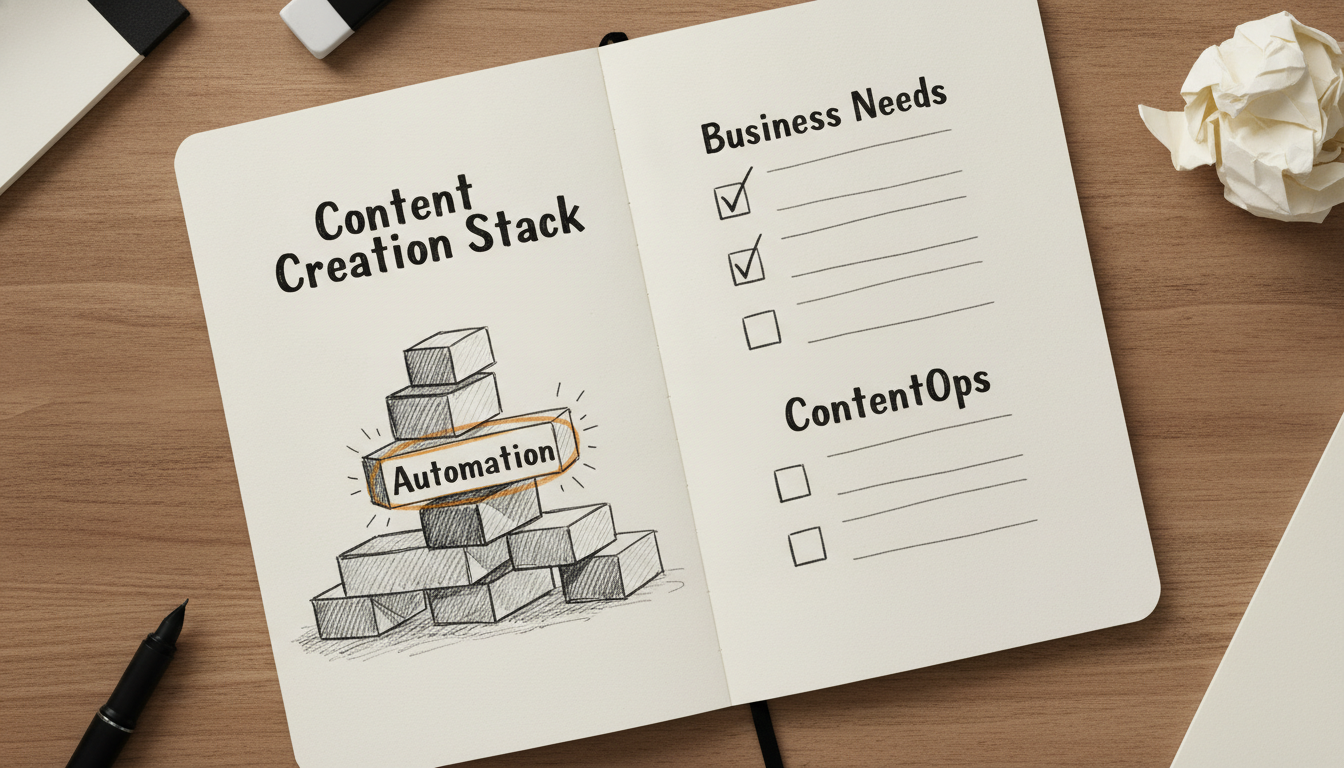
Building a content stack in 2026 requires moving away from fragmented tools that only solve one piece of the puzzle. The most effective teams now evaluate software based on the Time-to-Publish metric. This measures the total hours spent from the initial keyword discovery to the moment an article or video is live and indexed. If a tool does not directly shorten this cycle, it is likely adding to your tool sprawl.
Startups and solo creators should prioritize end-to-end automation to keep overhead low. Tydal is specifically designed for this path, allowing lean teams to compete with larger departments by handling keyword research, AI writing, and direct publishing on a single autopilot. This approach removes the need for a dedicated content team and reduces the manual grind of SEO while improving visibility in AI search results through GEO (Generative Engine Optimization).
Video-first creators require a specialized mix to maintain high output. A combination of Descript for text-based editing and Submagic or CapCut for retention-focused captions usually provides the fastest workflow. This stack prioritizes speed and social media engagement over deep technical editing.
Enterprise teams have different requirements, focusing on governance and brand consistency. Platforms like Jasper are built for this environment, offering brand voice controls and collaborative workflows that prevent off-brand content from reaching the public. These teams often integrate their stack with tools like Clearscope to ensure semantic depth across thousands of pages.
To avoid tool sprawl, audit your subscriptions every quarter. Look for overlap in AI features and cut tools that do not contribute to your primary growth engine. Focus on a core platform that handles your primary traffic source, then add secondary tools only if they fill a specific, high-value gap in your production line.
Top 12 Content Creation Software Platforms: Features & Pricing Comparison
| Software | Best For | Key AI Feature | Starting Price | Free Option |
|---|---|---|---|---|
| Tydal | SEO Autopilot and End-to-End Automation | Automated SEO Pipeline | $29 per month | 3-day free trial |
| Claude (Anthropic) | Long-Form Nuance and Technical Writing | Claude Artifacts | $20 per month | Free plan available |
| ChatGPT (OpenAI) | Multimodal Versatility and Custom Agents | GPT-5.6 Sol Model | $8 per month | Free plan available |
| Jasper | Enterprise Brand Consistency and ContentOps | Jasper Grid | $49 per month | 7-day free trial |
| Canva | Visual Design and Magic Studio AI | Magic Studio | $15 per month | Free plan available |
| Descript | Text-Based Video and Audio Editing | Underlord AI | Based on Media Minutes | Free plan available |
| CapCut | Short-Form Social Media and Viral Trends | Trend-to-Video Integration | $9.99 per month | Robust free version |
| Synthesia | AI Avatars and Corporate Training Videos | 125+ AI Avatars | $29 per month | Free Basic plan |
| AirOps | AI Search Visibility and Content Engineering | AI Visibility Dashboard | Custom | Free trial available |
| Clearscope | Semantic SEO and Content Discovery | Content Grading System | $129 per month | 14-day free trial |
| Submagic | Viral Captions and Retention Editing | AI Auto-Edit | $19 per month | Free trial available |
| Metricool | Social Media Management and Analytics | AI Social Assistant | $25 per month | Permanent free plan |
Choose the Software That Solves Your Biggest Workflow Bottleneck
Selecting the right content creation software depends on identifying where your production line actually breaks down. Most teams do not suffer from a lack of ideas; they suffer from a lack of execution capacity. If your primary struggle is the technical depth of your writing, a high-reasoning model like Claude (Anthropic) provides the nuance needed for complex whitepapers. If your team is buried under the weight of visual asset requests, Canva's Magic Studio allows non-designers to handle the bulk of social media graphics without waiting on a creative director.
For creators focusing on video, the bottleneck is often the time spent on tedious edits. Tools like Descript and Submagic solve this by turning hours of manual labor into a few minutes of text-based editing and automated captioning. Meanwhile, enterprise marketing departments that need to maintain a strict brand voice across hundreds of contributors will find the governance and "Jasper Grid" framework of Jasper to be the most reliable way to scale without losing their identity. The goal is to move from a fragmented stack of tools to a cohesive system that reduces your total time-to-publish.
Startups and small businesses often face a different challenge: they need the results of a full SEO team without the budget to hire one. This is where end-to-end automation becomes a necessity rather than a luxury. Tydal is a strong place to start if your goal is to grow organic traffic through SEO and Reddit without managing a complex manual pipeline. It handles the keyword research, writing, and direct publishing on a set schedule, acting as an autopilot growth engine for lean teams.
Before committing to a high-tier subscription, run a small-scale test based on actual output quality. Take a single topic and see how quickly each tool moves it from a concept to a live, optimized URL. The software that minimizes human intervention while maintaining high visibility in both Google and AI search results is the one that will provide the best long-term return on your investment.
Frequently Asked Questions
What is the best content creation software for beginners?
Canva and ChatGPT are widely considered the best options for beginners due to their intuitive interfaces. Canva simplifies graphic design with drag and drop templates, while ChatGPT provides a conversational way to generate text. These tools require minimal technical skill to produce professional results.
How much does content creation software usually cost?
Pricing varies significantly, ranging from free versions to enterprise plans costing hundreds of dollars per month. Most professional tools like Jasper or Clearscope start between $49 and $129 monthly. Many platforms offer tiered subscriptions based on usage limits or the number of team seats.
Can AI software automate the entire content creation process?
Yes, certain platforms like Tydal can automate the full lifecycle from keyword research to live publishing. While many tools only assist with writing, end to end automation handles scheduling and SEO optimization without manual intervention. This approach is particularly useful for small teams looking to scale organic traffic.
What features should I look for in content creation tools?
Look for features like AI writing assistance, SEO optimization, and direct publishing integrations. High quality tools should also offer brand voice customization and analytics to track performance. Prioritize software that reduces your total time to publish by connecting different stages of the workflow.
Is there free content creation software available?
Many popular platforms offer robust free versions, including Canva, CapCut, and Metricool. These free plans typically include basic features but may limit the number of exports or advanced AI capabilities. They are excellent for testing a tool's functionality before committing to a paid subscription.
How do I choose the right content creation software for my business?
Identify your primary workflow bottleneck, such as video editing or SEO research, to narrow down your options. Evaluate tools based on their integration capabilities and how well they maintain your specific brand voice. Testing a few platforms with a free trial helps determine which interface fits your team's existing skills.